
Stop Making TUIs
Our field has a weird relationship with terminal and command line interfaces. The time has come to re-evaluate it.
I’m on a kick lately getting my friends to try building native user interfaces. I built my first serious Mac application a few months ago, and since then I’ve built more native UI thingies than in my entire career prior to that. Let’s take a quick tour.
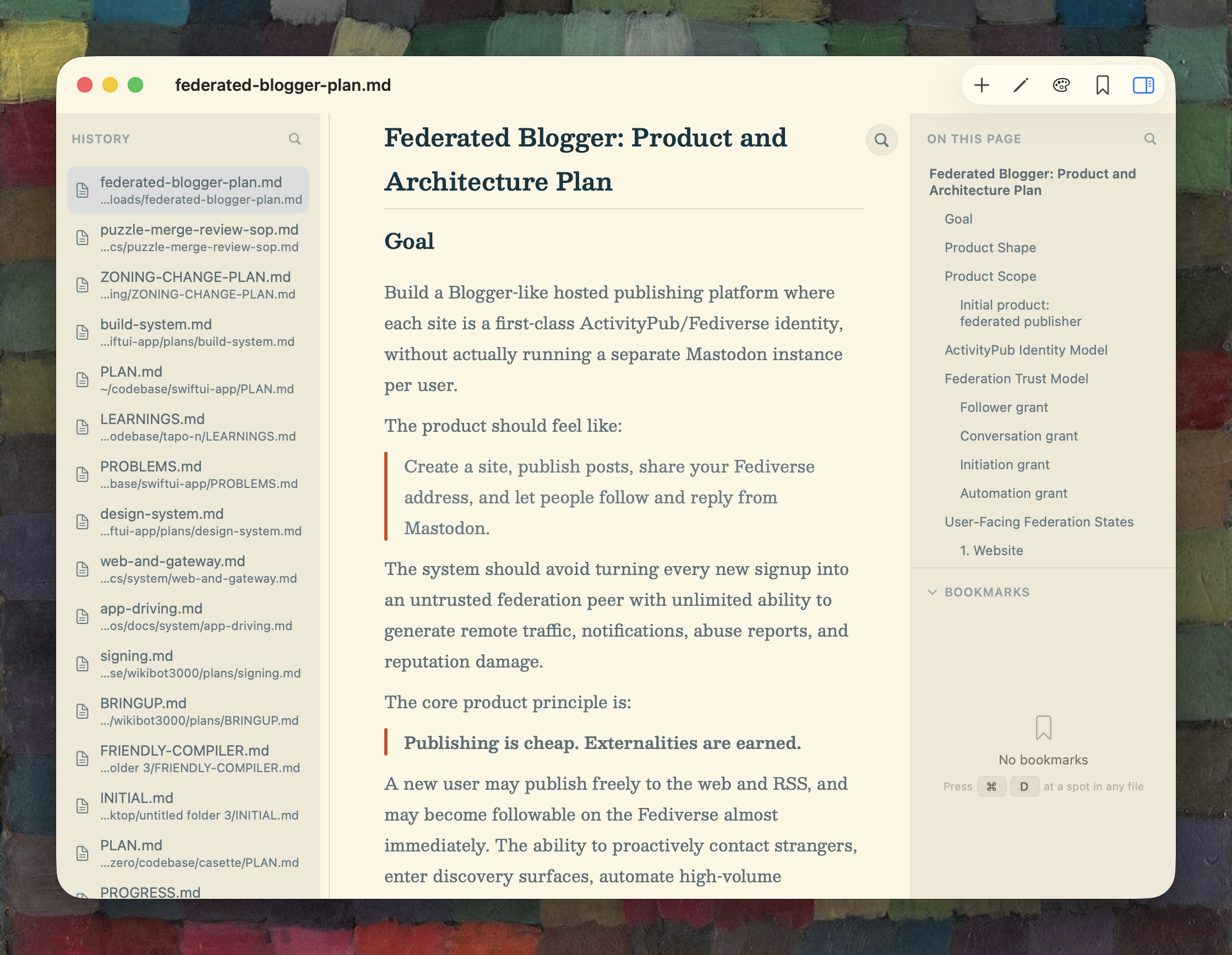
This is MDV.app, the greatest Markdown viewer in the world until someone else writes a serious markdown viewer. I’ve already written a bunch about MDV and won’t wear you down with more advocacy for it. It is great, though.
I had almost no hand in writing this UI code. Why would I? Like most user interfaces, MDV doesn’t break any new ground. It’s not a challenging problem. But building good UI is very hard: this kind of code is tedious, repetitive, exacting, and gated by platform conceptual knowledge. It takes years to get good at this kind of work. Which is why I would never hand-write this program. Instead, I summoned it.
Moving along:
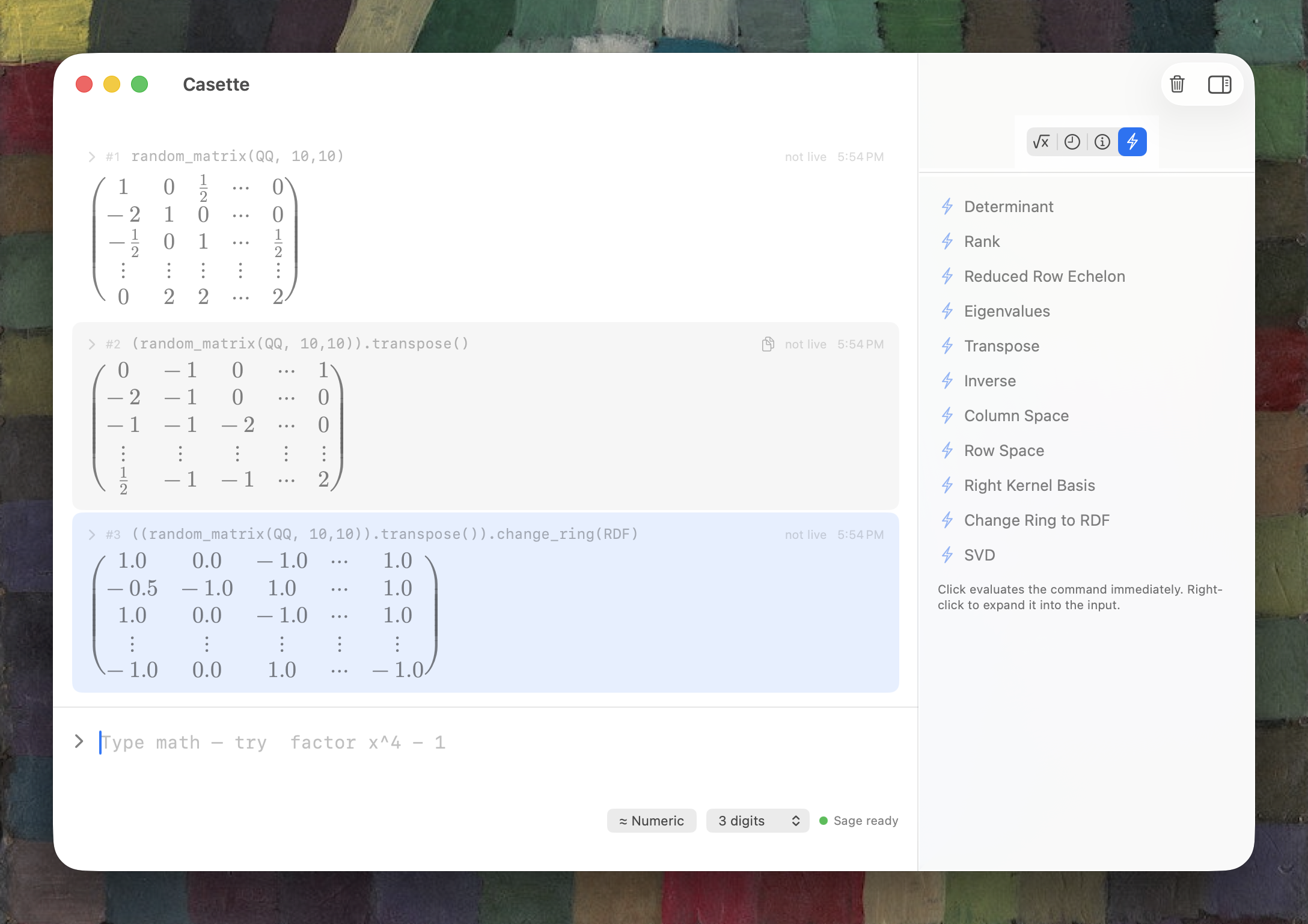
I spent the last year doing Math Academy, from Foundations I through Machine Learning, which you can shorthand as “I taught myself calculus”. I like Math Academy a lot and have a bunch to say about it, but here it’s just the set-up to another SwiftUI app I willed into being: a native calculator-style frontend for SageMath, which is the default math system for cryptographers.
Three big things this app does for me: it automatically renders Sage output in LaTeX, which gets handier the deeper you get into multivariable calc, it point-and-click exposes Sage methods on objects like vectors, matrices, and expressions (which is much nicer than typing trig_simplify over and over again), and it provides a “little language” of shorthand inputs that make common operations (like “take the gradient of this expression”) quick to type. [1,2;3,4] is a matrix in this system; you should already be sold on it.
I’m not packaging this application up. If you want it, just screenshot this section of the post and give it to Claude. It’ll build something useful. You see where I’m going with this.
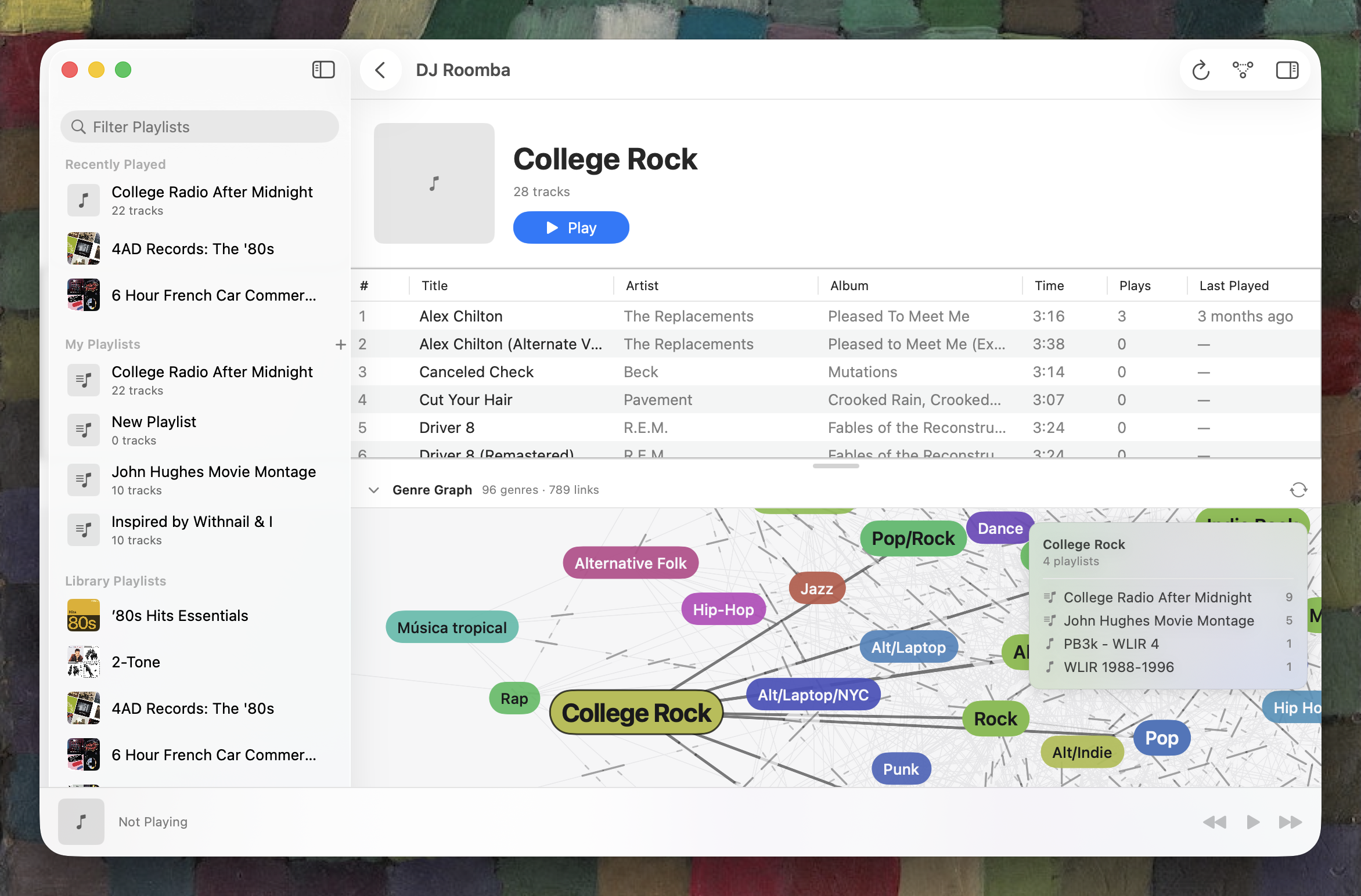
(it would be more useful if I cleaned up all my genre labels, most of which date back to the first MP3 rips I did back in 1997).This is DJ Roomba, my Apple Music player. The genre map is a dubious feature. What isn’t dubious is the embedded LLM agent, which has tool calls to read my library, my last played list, and my upcoming tracks. “I’m going to the basement shop to build a picture frame; give me a no-skips playlist to fit the mood”. Turns out the mood is “lots of Kurt Vile and Tom Petty”. No notes.
It’s backended by a SQLite database, a sane one with a reasonable schema, which was also a surprisingly useful feature.
I don’t really know what to think about programs like this. It’s an AI-assisted music player that includes 90% of the interface of Music.app. Music.app. My ever-present personal computing nemesis. This is the personal computing equivalent of slaying a dragon. But I didn’t write a single line of code in it. Am I developing software, or just configuring my computer?
Hold that thought.
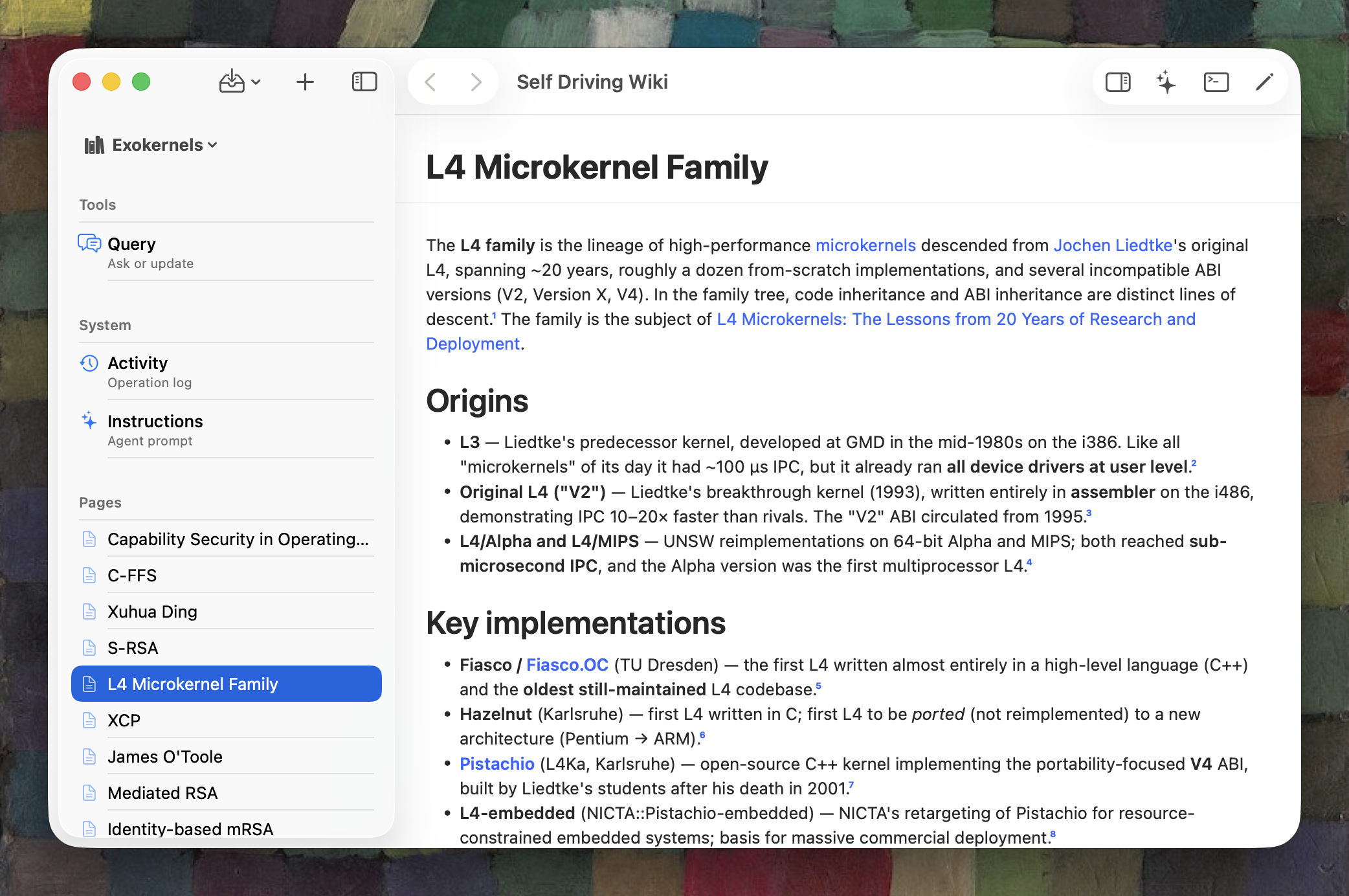
This is my LLMwiki. Somebody should write a popular, widely-shared piece on how valuable a self-driving wiki is, where you feed it source material and ask it questions and it writes the wiki for you. Wildly useful idea, I’m glad I thought of it.
Self Driving Wiki.app was fun to write. Unlike DJ Roomba, which directly embeds a Responses API client, this app drives claude -p under the hood. Because I assume that agents work better with a filesystem to grovel, I summoned a macOS virtual filesystem extension, which reflects a read-only view of the backing SQLite database as a mounted filesystem inside the app’s sandbox.
Was this probably unnecessary? Does it make the app more annoying to install, for instance by requiring it for some reason to run out of /Applications/? Yes, and also yes. But these kinds of yak-shaving excursions were the joy of software development in the pre-LLM era and I’m glad to discover that I can still experience them today.
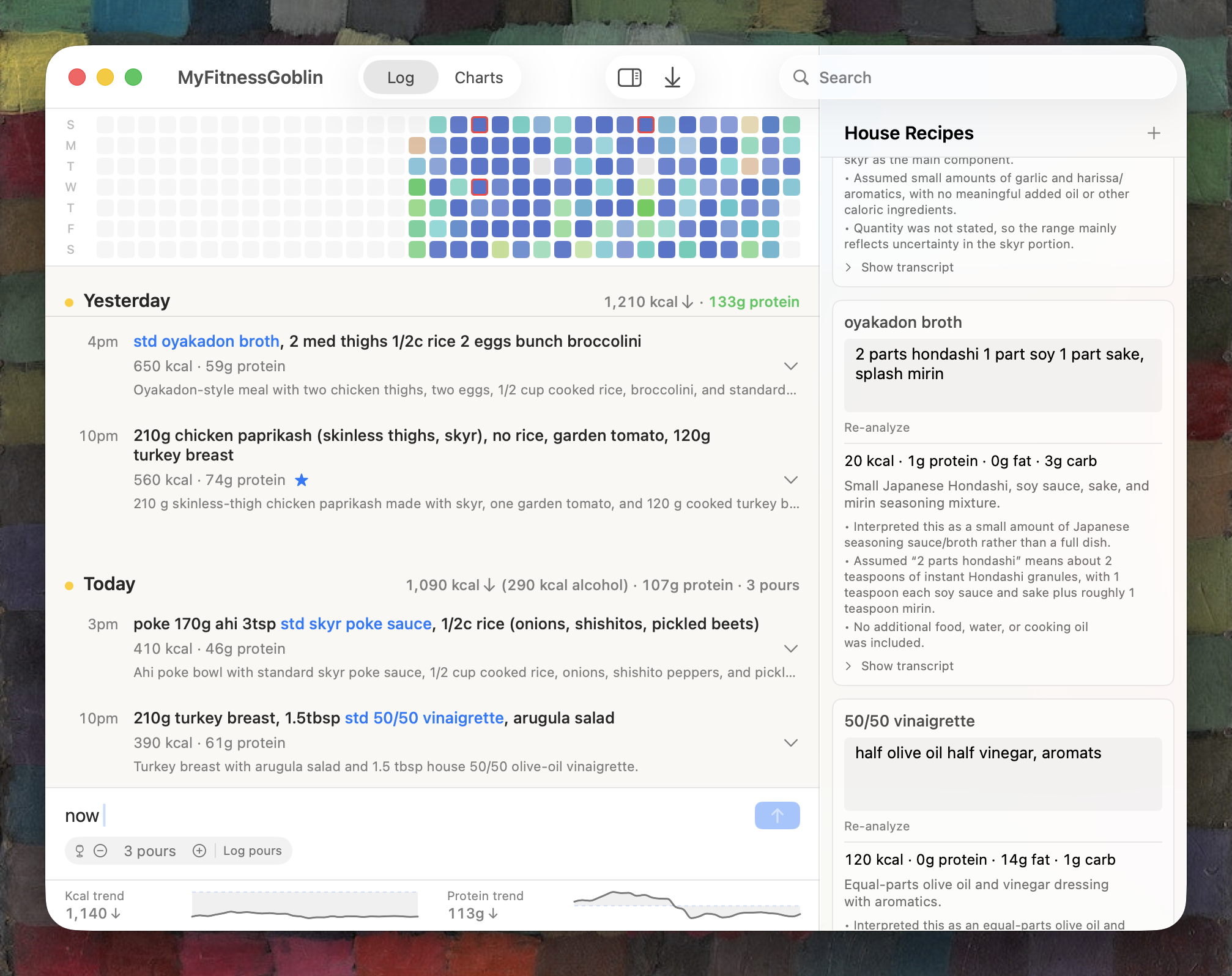
(hyper-responder at 2.5 with zero side effects, this shit is choice)Here’s something I use constantly: a semiautomated food macro tracker. I’m glipping balls like everybody else. The app is another simple agent fronting GPT5, taking very short meal descriptions like spitball a guess on the calories ingested tasting cake batter and cream cheese frosting (but I didn't eat any cake) and translating them to intake estimates.
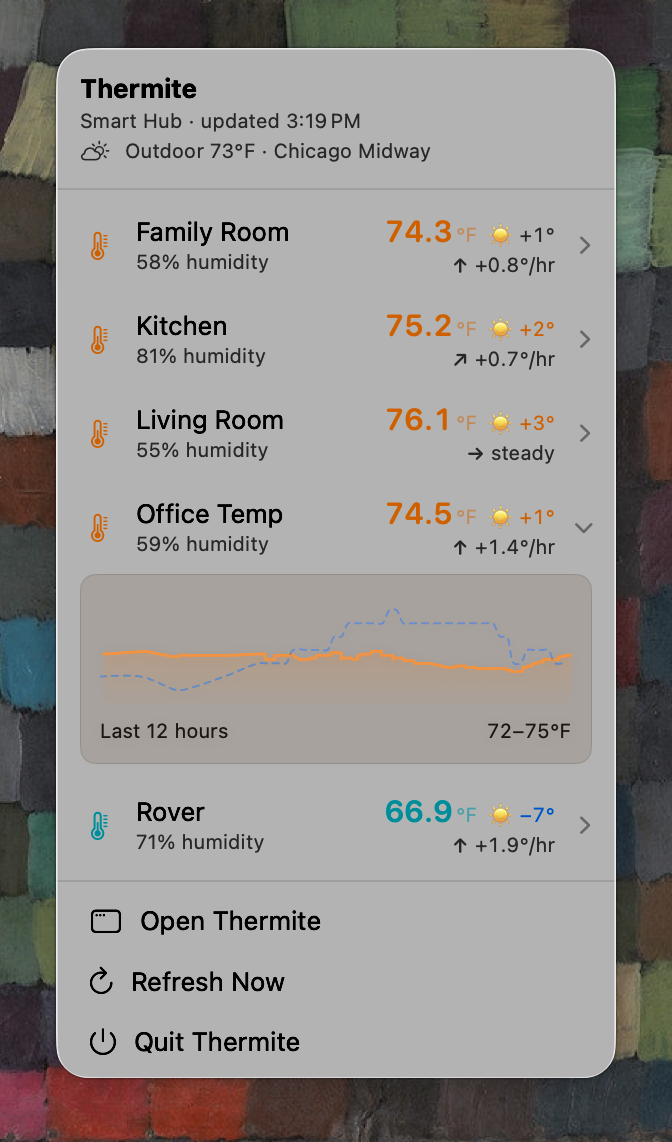
Here’s a menu-bar application that tracks temperatures around my house using these cheap little TP-Link temperature sensors that are giving the Chinese Communist Party access to my Apple TV. Normally after putting something like this together I’d be able to tell you a lot more about the protocols and HTTP APIs these things use to communicate, but I did none of the work to figure that out, so all I can tell you is that there are two different sign-in paths to get information from their cloud and directly from the little sensor pods.
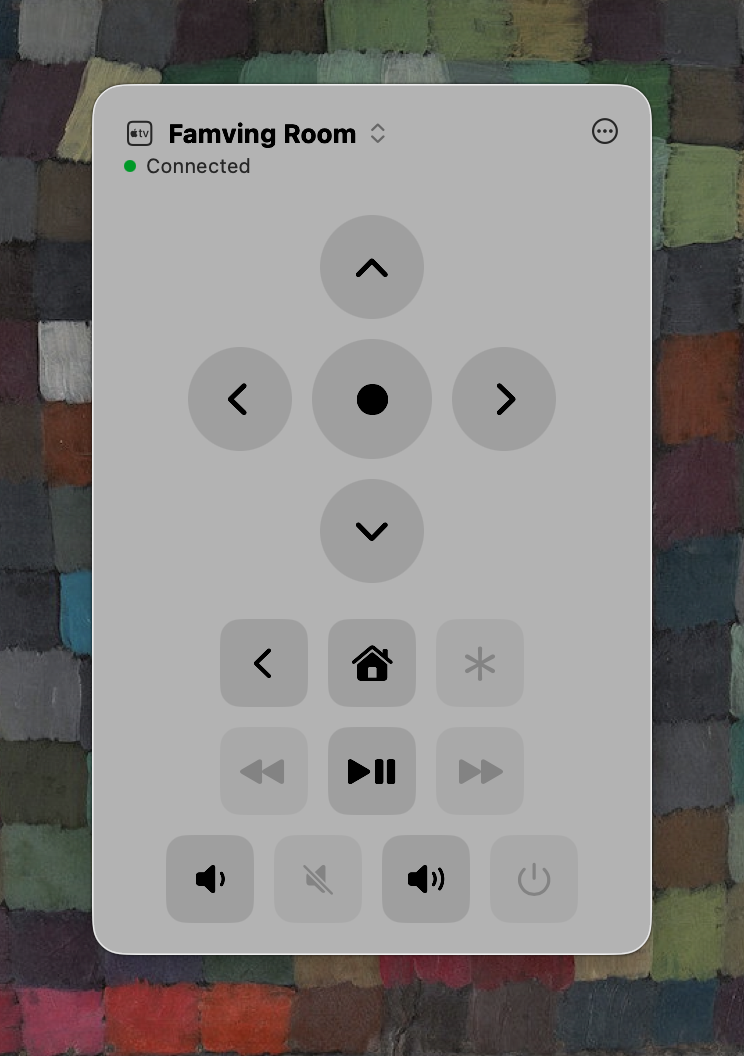
Finally, and speaking of my Apple TV, I present the holy grail of macOS native desktop software development: a working menu-bar Apple TV remote control. A couple years ago, I would have paid very good money for this, because I am exactly the kind of dork that tends to have an open MacBook on their lap while watching House Of Ninjas with his spouse.
(and to my Roku TV and my Denon receiver, since this is a universal remote)Talking directly to an Apple TV is a pain in the ass. But it turns out people already figured this out and wrote Python libraries to do it. I don’t “use” those libraries, because this is a native Swift app, but that doesn’t matter: whatever has been written in Python might as well have been implemented in Swift, C#, and Brainfuck as well. It’s all the same to a frontier model.
I am somewhat self-aware. Preening about a bunch of SwiftUI interfaces I generated clearly invites clinical and unsparing critique of their visual design. Bring it on. But: as a longtime patron of the App Store, I’ll claim these designs are all a step ahead of replacement-level. Five years ago, if I’d had a macOS UI person on my team, I’d have been over the moon to get output of this quality.
The truth is, I barely think about these things as “apps” (I have no intention to distribute them). They’re artifacts of me making my computer do stuff for me, the way I want it to. As a Unix nerd, I’ve always been able to do this, in the language of the command line. Now, it’s just as easy to do that kind of work with graphical interfaces.
❦
We build terminal interfaces because we have to, not because we should.
But First, A Word About CLIs and TUIs: command-line interfaces and terminal user interfaces are both products of the 1970s, shrink-wrapped around the constraints of teletype interfaces and dumb video terminals. Both tend to be outmoded, hostile, and constrained relative to graphical interfaces. But these tendencies are intrinsic to TUIs, and not to CLIs. CLIs have purposes for which they’re irreplaceable. Building a CLI is almost always a good idea. Building a TUI almost never is.
Back in 1999, Neal Stephenson wrote an essay about command line interfaces that set the field of human-computer interaction back about 20 years. In it, he depicts the priesthood of Unix nerds wielding CLIs as powerful Morlocks, holding the entire computing industry on their shoulders. The Eloi use GUIs like Microsoft Word. Because this is high-test fan-service, “In The Beginning Was The Command Line” has become one of our field’s sacred texts, despite very little of it holding up 25 years later.
In reality, terminal interfaces don’t exist because of any special machine sympathy they create between computers and their operators. Rather, TUIs exist for just two reasons: modems, and because Unix nerds didn’t want to learn Motif.
I can’t blame them. I had to do a tiny bit of Motif work in the mid-1990s and it put me off UI development for the next 29 years. Curses is no great shakes, but you can learn it inside of 5 minutes. I’m not kidding: you wouldn’t pick raw curses today for a TUI, but go ask ChatGPT to give you a brief rundown (“don’t waste time explaining concepts”) of the bare minimum you’d need to write pico. Take the code it hands you and compile it; it works. It’s clear where to go with it. There’s just not much to it.
An agent can reliably build a native macOS interface that is reasonable, by dint of using the SwiftUI frameworks the way Apple tells you to. This is a difference between native applications and web interfaces: sameyness is a good thing: native apps are supposed to look like other native apps.
But there’s one of the problems with TUIs: even with a good framework, like Ratatui, Textual, or Bubbletea, you’re fighting the terminal to come asymptotically close to what every native framework does well out of the box. Scrolling and scroll targets are an obvious example. Drag and drop another. Text selection — it gets tricky when you’re using in-band signaling to draw window borders! Multiple floating windows. All this is before we get to image handling.
You can spend an hour and get a decent version of a lot of standard controls in a TUI framework: a date picker, a secure text field, a progress bar, a text editor. But most of them won’t be as good as the system versions of the same widgets, and they won’t compose well without even more work.
All this stuff just works out of the box in native UI.
You are about to tell me, in no uncertain terms, why we’ll all be using and enjoying TUIs in 2046. Allow me to anticipate a couple of your arguments.
TUIs are economical and fast interfaces with high information density. Nerds don’t just like them for their retro aesthetics. They appreciate being able to knock out complex tasks in seconds with just a couple keystrokes.
These are all true statements, but to make that argument persuasive, I’d need to start that paragraph with the word “only”, and if I did that I’d be lying. Graphical interfaces tend not to be economical, dense, or keyboard-y. But that’s usually because they’re not designed for nerds (even on Linux, graphical interfaces are often aspirationally designed for the mythical normie Linux On The Desktop user). Nothing is stopping you from designing a dense and economical GUI. It’s been done!
To me, these TUI niceties are a powerful argument for doing more graphical work, because it’s become easy and cheap to experiment on this stuff, and I want to see a native UI built to capture everything that’s great about Magit or Lazygit (without having to build it myself).
Next: TUIs work over SSH connections. If you need a user interface on prod, it’s going to be a TUI.
The problem with this argument is that you probably don’t need a user interface on prod. You need a command line interface on prod that a user interface on your Macbook can drive. Anybody that’s ever done anything with bpftrace should know this in their bones, at least by the 3rd time they’ve built a bar chart out of hash marks. Fortunately, there’s precedent for this: check out Emacs TRAMP, which efficiently hides SSH connections and presents a native (and graphical, if that’s your bag) editor experience for remote files that even works with LSPs and Magit.
People will tell you that TUIs are accessible.
The problem with this argument is that it’s probably false. I want to be careful with this argument, because I’m not a customer of accessibility features. All I can do is go off the experiences of people who do a11y work. Like this speaker describing how screen readers read all the line-by-line updates of TUI “chrome”; hash mark, hash mark, hash mark, hash mark, dash, dash. Seems bad!
Modern native UI frameworks were designed from the jump to do accessibility well. SwiftUI keeps two UI trees, a visual one and a semantic accessibility tree. There are TUI frameworks that, admirably, try to get this right. I’m not here to tell you TUIs can’t be accessible; just that accessibility is not a reason to prefer TUIs to GUIs.
Finally, I can think of one strong argument for TUIs: they’re cross-platform.
I can get an agent to build native UI for me on Windows and Linux and I’m confident I’ll end up with something reasonable. But I don’t have Windows and Linux desktops to play with those interfaces on, and while the ground is certainly shifting below all of our feet, I think we can all agree there remains an important distinction between vibe-coding and vibe-shipping. Somebody soon is going to ship an app that they literally haven’t looked at or used. But it won’t be me.
Meanwhile, if I build a TUI, I can be reasonably sure that Linux users are going to get the same experience I have. That’s not nothing. But remember: I’m not really building applications for other people to use. I’m building them for me. TUI affordances are an awfully big hit to take to get Linux users of programs I don’t even want to publish.
A couple years ago, these arguments would have been deeply silly. Not because TUIs were good but because native UI wasn’t a reasonable ask. As evidence for that, observe that we’ve spent the better part of a decade living with Electron apps. That was because native UI was hard to do well. But it isn’t anymore, and we should be doing more of it.
❦
I can only speak for MacOS development, and then assume that GTK 4 in Linux and WinUI 3 in Windows are comparably easy.If I’ve piqued your interest, I’m happy to say there’s not much to getting a decent native MacOS app.
What I did was to go trawling for skills, ending up taking this macOS design skill, a basic typography skill (any one you found on Github today would be better than what I’m using), and Paul Hudson’s SwiftUI skill. I also took Airbnb’s Swift language skill, because I haven’t grown out of caring whether the code I generate is idiomatic.
You want to make sure you’ve got computer-use, or whatever Codex calls it, enabled. You want to be able to fire this off, go make lunch, and come back to an app that works well enough to be pleasant to debug. That works way better when the agent can see and drive the app.
My biggest quality-of-life win is never having to open Xcode. Thankfully, my friend Josh built a purely Makefile-driven build process after trying to compile MDV for himself. I’ve just had Claude copy it to every new project I do.
In fact, that’s my entire process at this point: I copy a template app directory, open Claude or Codex in it, and tell it what I want to build. I don’t think my template is particularly good, and I think someone more competent than I am should build the truly-good SwiftUI proto-app (or, if it already exists, you should tell me about it).
I use a similar process to build TUI apps (tell your agent to use tmux to test the TUI, it works a treat). But it’s not clear to me that I’ll ever want to build a TUI again.
❦
Frontend programmers, backend programmers, lend me your ears. I come not to bury TUIs, but rather to entreat you to stop building new ones.
I’ll cop to it right now: I’ve never really liked TUIs. Coming up in the 1990s, I was a Mutt person (after being an Elm person, and before that a Pine person) — until the moment I could stop doing that and use a graphical mail reader.
So this whole piece could be read as a snarky profession of my personal preferences. That kind of thing: not out of character for me!
(or whatever’s been passing for native these last ten years)But the interesting thing here isn’t whether you like terminal interfaces or not. Believe it or not, I’m not trying to yuck your yum. I’m just noticing something that I think hasn’t broken through yet: after decades of dividing software development into “frontend” and “backend”, and frontend further into “web” and “native”, agents have dissolved most of those boundaries. You can reasonably default to building native user interfaces for things, and those interfaces will be kind of good.
If, like me, you’ve spent decades thinking of yourself as a systems programmer that doesn’t produce user interface code, or worse, that your station in the industry is to produce user interface code where windows are drawn out of ASCII characters, it’s time to recalibrate.
It’s one thing to just not care about user interface, or maybe even to abhor good user interface in favor of weird 1970s aesthetics. I won’t kink shame: there was a time in my life where I ran Enlightenment. But if you’re the kind of Unix Morlock who was also a secret Eloi-sympathizer, and appreciated interfaces like NetNewsWire, Transmit, Little Snitch, and Audio Hijack, stop and listen to me. If you haven’t tried your hand at turning one of your 500 throwaway CLIs into a native app, you’re doing yourself a disservice. Go build a native UI. It’ll probably change the way you think.